 FW Real Estate – Documentation
Basic Configuration
Basic Configuration
Before publishing your first property, complete these foundational setup steps. Each one ensures the component behaves correctly and that your frontend views are accessible to visitors.
1. Set the Default Country and Currency
Go to FW Real Estate → Settings → General and locate the Localization section. Set your Currency sign (for example, $ or €) and Currency position (before or after the price amount). These fields handle single-currency setups directly — no additional plugin is needed.
If you need multiple currencies, install the Multi Currency plugin. Once active, it replaces these two fields with full currency management. Full details are covered in the Currency & Measurement Units section.
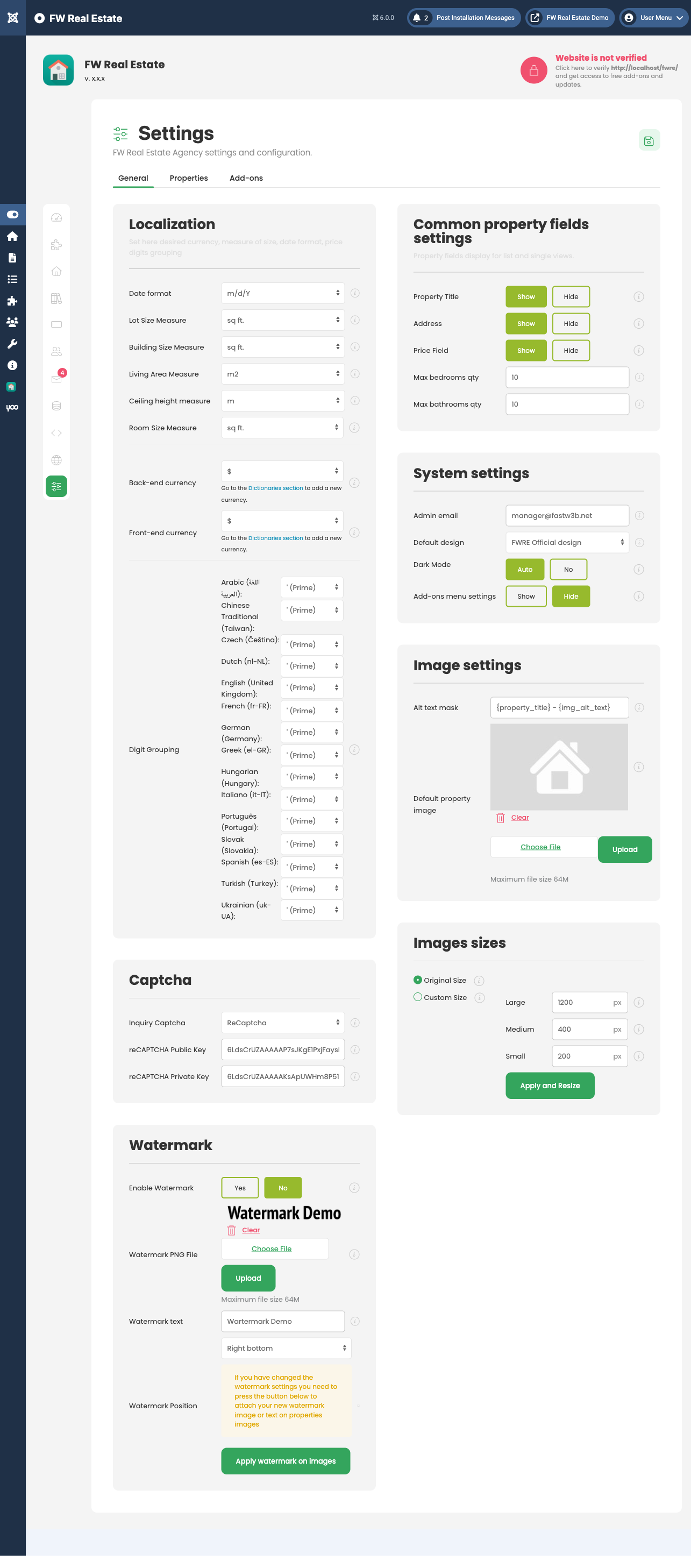
2. Fill In Dictionaries
Go to FW Real Estate → Dictionaries. Dictionaries define the dropdown options used throughout the component — property types, categories, statuses, amenities, locations, and measurement units.
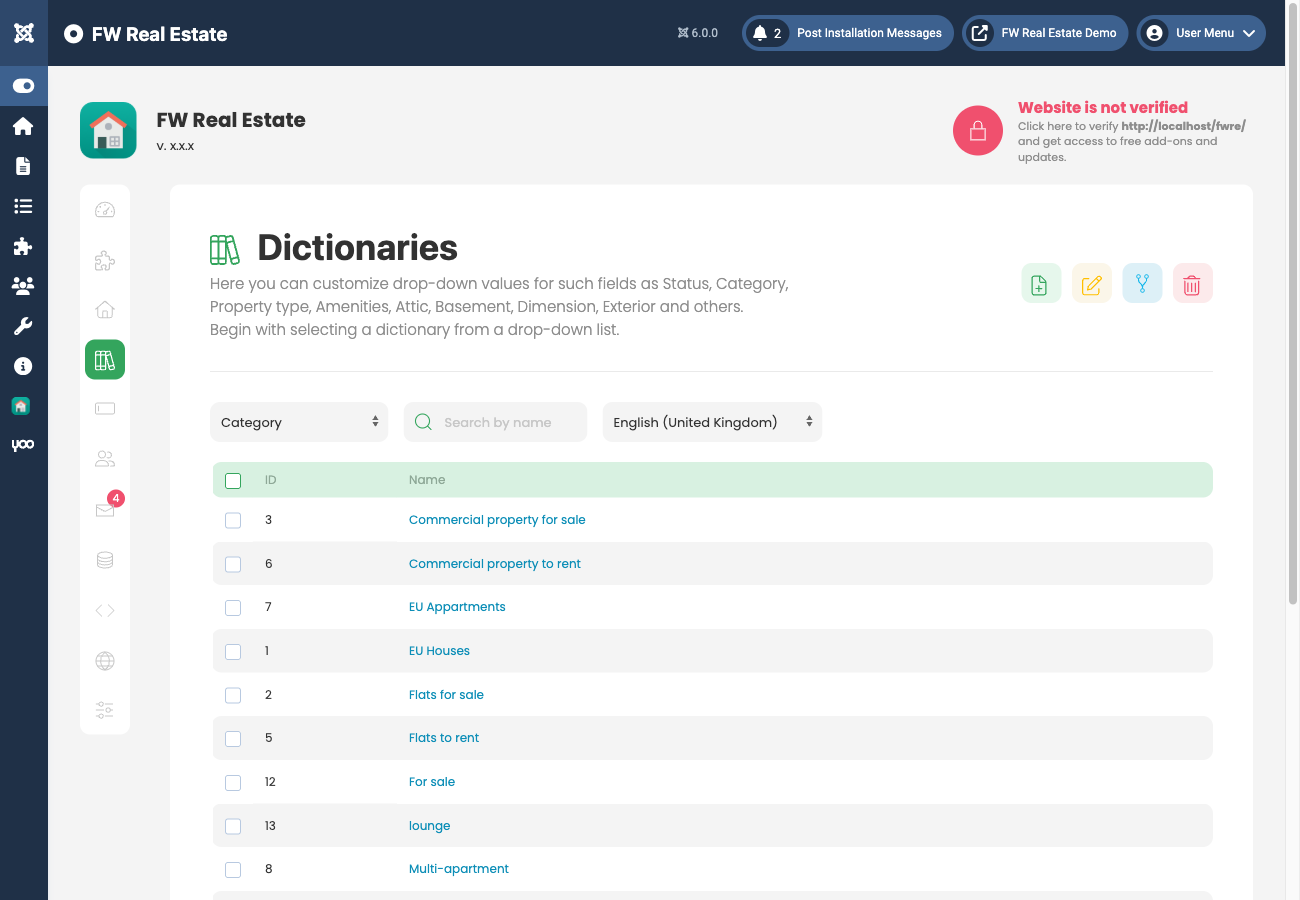
Populate at minimum:
- Property Types — e.g. House, Apartment, Land
- Categories — subcategories for your listing types
- Statuses — e.g. For Sale, For Rent, Sold
Empty dictionaries do not block property creation. Values can also be added on the fly directly from the property edit form, so you can start creating properties even before dictionaries are fully populated.
3. Create Joomla Menu Items
FW Real Estate frontend views are accessed through Joomla menu items. Create menu items for each view you want to make available. Four menu item types are provided:
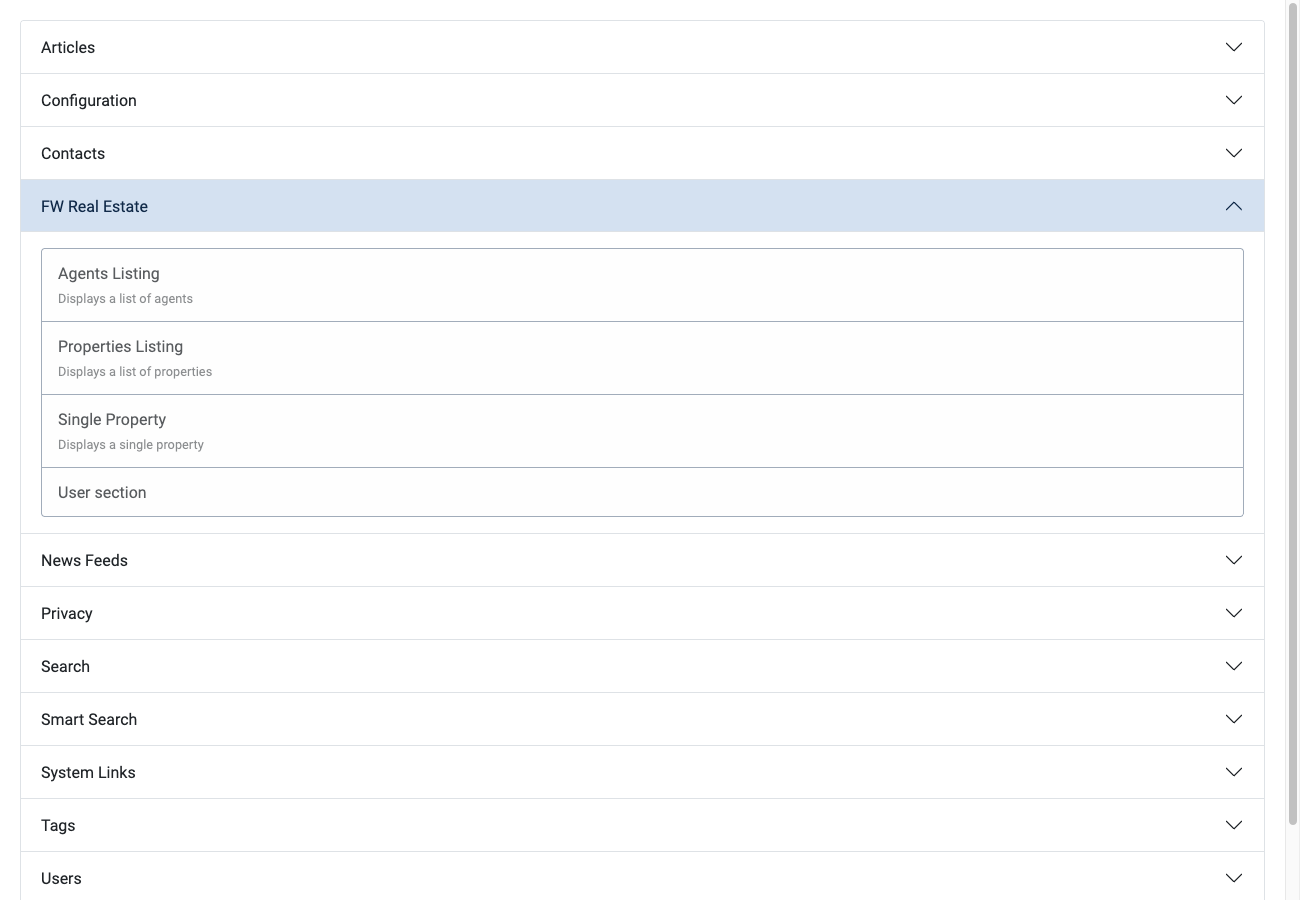
- Properties Listing — the main property listing page. Page-level search filters are not built in to this view; place the FWRE Search Module separately using a module position to add search and filter functionality.
- Single Property — a direct link to one specific property.
- Agents Listing — displays all agents. Requires the Agents plugin.
- User Section — frontend features for registered users. The Layout dropdown in this menu item is populated dynamically: only plugins that are installed and enabled appear as options. Possible layouts include Compare, Saved Search, Favorites, Property Manager, and Agent Profile.
Each menu item editor includes an Options tab containing layout selection, pre-filter fields, and listing settings. Some fields display Not available, need plugin until the relevant plugin is installed and enabled.
4. Enable Plugins and Modules
FW Real Estate functionality is extended through plugins and modules. To manage them, go to FW Real Estate → Addons, where all available plugins and modules appear in a single list. Alternatively, enable them individually through the standard Joomla Plugin Manager and Module Manager, where they are listed in their respective sections.
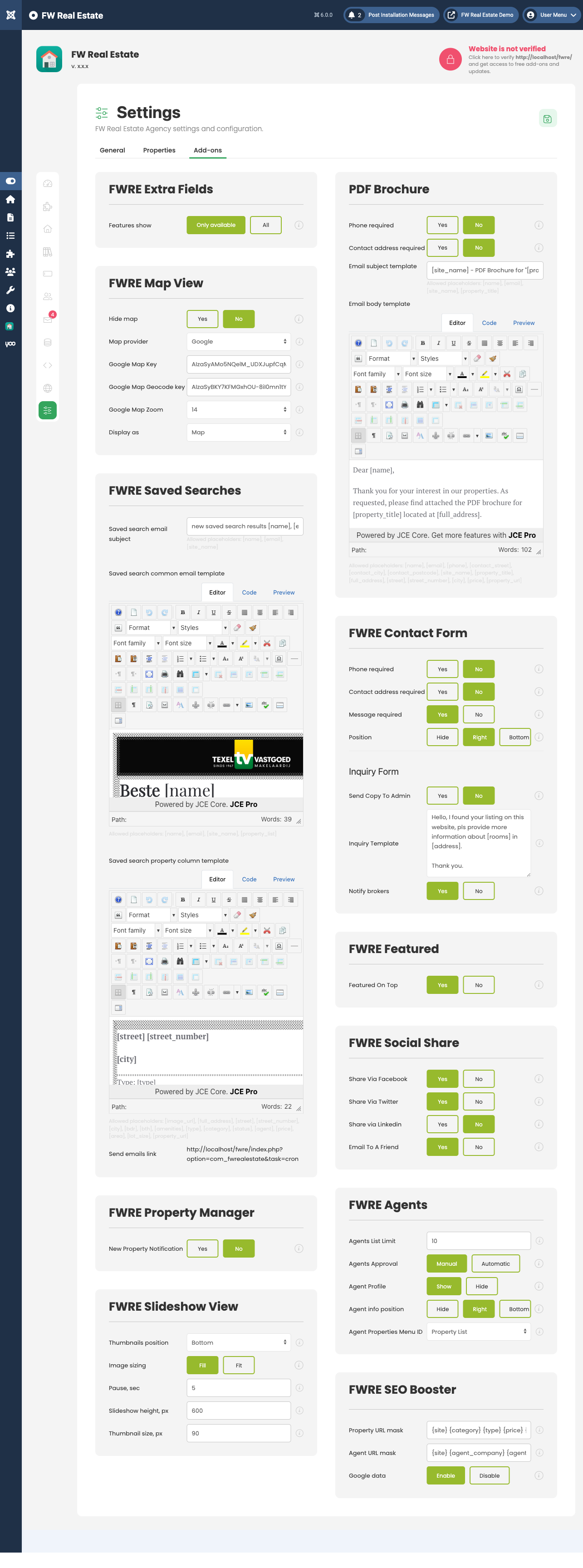
Once a plugin is enabled, its configuration settings appear automatically in Settings → Addons, and any menu item fields it provides become available in the Options tab.

