Press Enter to search or Esc to close

Menu Photo Enhancement

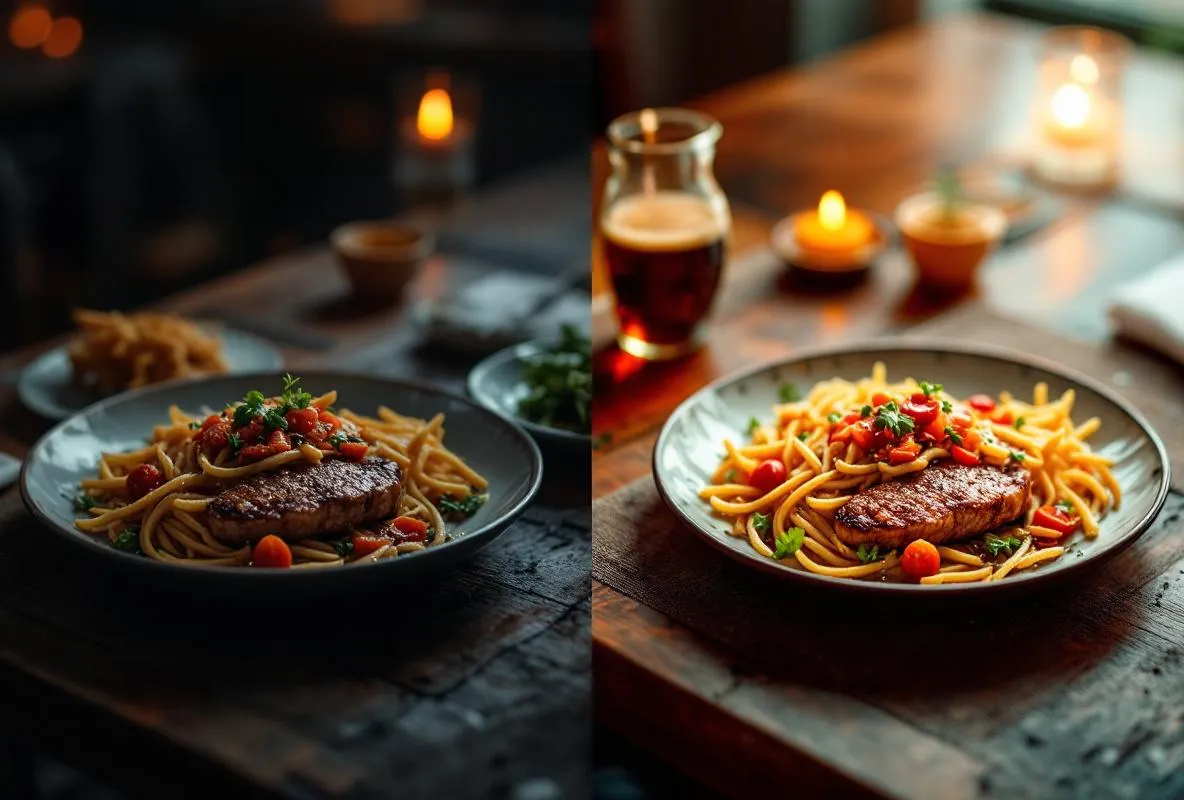
Turn your phone snapshots into menu-ready dish photos with AI enhancement. We fix lighting, clean up backgrounds, correct colour, and resize every image for your online menu.
Starting from
$49 USD
1-2 days
3 packages available
This service is related to FW Food Menu only.
  • Phone photos turned into menu-ready images
  • Lighting and colour correction per dish
  • Background cleanup and distraction removal
  • Resized and optimised for web delivery
  • Perfect companion to Menu Digitization
Menu Photo Enhancement
Pricing

Choose Your Batch Size

Small Menu
$49
1-2 days
Photos Enhanced Up to 20
Lighting Correction
Colour Enhancement
Background Cleanup
Menu-Ready Resize
Manual QA Review
Large Menu
$179
3-5 days
Photos Enhanced Up to 100
Lighting Correction
Colour Enhancement
Background Cleanup
Menu-Ready Resize
Manual QA Review
  • Small Menu
    $49
    1-2 days
    Photos Enhanced Up to 20
    Lighting Correction
    Colour Enhancement
    Background Cleanup
    Menu-Ready Resize
    Manual QA Review
  • Large Menu
    $179
    3-5 days
    Photos Enhanced Up to 100
    Lighting Correction
    Colour Enhancement
    Background Cleanup
    Menu-Ready Resize
    Manual QA Review
    What is included

    What is included

    AI enhancement pipeline tuned for food photography. Correct under-exposure, over-exposure, and poor colour balance on restaurant phone shots.

    Background cleanup removes distractions like hands, napkins, cutlery not in frame, and other table clutter behind the dish.

    Colour correction restores natural food tones so greens look green, reds look red, and white plates do not turn yellow under kitchen lighting.

    Resizing and optimisation for web menu display. Every image delivered in WebP format at the right dimensions for FW Food Menu.

    Manual QA review on every result. AI catches most issues; our human spot-check catches the rest before delivery.

    Originals preserved. You get both the enhanced versions and your original uploads back. Nothing gets lost.

    Step by step

    How it works

    Upload your photos

    Send us your dish photos as a zip file or individual uploads. Phone snapshots are fine. Any lighting condition, any angle.

    AI enhancement

    Our pipeline processes each photo for lighting, colour, and background. Most photos are improved significantly; a few with severe issues may need a retake which we will flag.

    Manual QA review

    A human reviews every enhanced photo before delivery. If any image still looks off, we re-process or flag it for you to retake.

    Delivery

    You receive the enhanced WebP images in a single zip, ready to drop into your FW Food Menu item list or hand to Menu Digitization for automatic placement.

    Requirements

    Before you start

    Phone photos of your dishes. Any phone will do. Good lighting helps but is not required. Try to fill the frame with the dish.

    Dish name list. Tell us which photo matches which menu item so we can name the delivered files correctly.

    No FW Food Menu needed. This service delivers the images back to you. You can use them anywhere (FW Food Menu, another menu system, social media, printed menus).

    FAQ

    Frequently Asked Questions

    • What kind of photos work best?

      Phone photos taken with the dish filling most of the frame, shot from slightly above or at a 30-45 degree angle. Natural light is best but indoor kitchen lighting works fine with enhancement. Avoid photos where the dish is tiny in a cluttered frame, or where the focus is on someone holding the plate rather than the food itself.

    • Can you fix really bad photos?

      Most phone snapshots improve significantly. Photos with extreme blur, severe out-of-focus, or heavy motion blur cannot be rescued by any enhancement tool. If we see that level of damage, we flag the photo in the delivery and recommend a retake.

    • Do I need professional food photography instead?

      Not for most independent restaurants. Professional photography typically costs hundreds to thousands of dollars for a full menu shoot. AI enhancement gets you most of the way there for a fraction of the cost. If you want premium catalog-quality shots for a flagship dish or marketing campaign, professional photography is still the right call; for the rest of the menu, enhancement is the fast and affordable path.

    • How do I upload photos?

      The order form accepts a single zip file or multiple individual uploads. Drop your photos, name them by dish if you can (not required), and submit. We handle the rest.

    • What is the turnaround time?

      Small Menu (up to 20 photos): 1-2 days. Full Menu (up to 50 photos): 2-3 days. Large Menu (up to 100 photos): 3-5 days. Rush turnaround is possible on request.

    • Can I order this with Menu Digitization?

      Yes, and we recommend it. Order Menu Digitization + Menu Photo Enhancement together. We enhance your photos, then place them in the right menu items during digitization. Launch-ready menu in one engagement.
    What our clients say

    Client reviews

    Our clients trust us to deliver quality results. Here's what they have to say about working with us.
    • 38 phone photos turned into menu shots
      Uploaded 38 phone photos of our dishes expecting mediocre results. What came back was transformative. Lighting corrected, backgrounds cleaned, colours restored. Our chicken tikka actually looks orange now instead of brown. Customers have started mentioning the photos when they order.
      Elena K.
      Bistro Owner
    • Small menu batch for $49
      Small Menu tier at $49 was perfect for our 18 pizzas and sides. Took photos on my iPhone in the kitchen during a lunch break. Two days later we had enhanced images ready for the online menu. Way cheaper than hiring a food photographer and the quality is genuinely good.
      Marco T.
      Pizzeria Owner
    • Phone snaps to menu-ready images
      The difference between the phone photos I uploaded and the enhanced versions is night and day. Shadows removed, colours pop, backgrounds look clean. I combined it with Menu Digitization and the whole launch was under $230. Best money I have spent on the cafe website.
      Fatima N.
      Cafe Manager
    • 60-photo full menu enhancement
      Full Menu tier handled 60 dish photos from our Indian restaurant. Colour correction on the curries was excellent, lighting fixed on the dim tandoor dishes. A couple of photos were flagged as unfixable due to severe blur, which was fair feedback. We retook those and the second batch looked great.
      Raj P.
      Restaurant Owner
    • Food truck menu on a budget
      Food truck budget is tight and I could not afford a photographer. Took photos at the window with my phone, uploaded the Small Menu batch, and got menu-ready images back. Now our menu board on the website looks as good as the big restaurants in town. Worth every dollar.
      Sofia L.
      Food Truck Owner
    • Large batch with manual QA review
      Large Menu tier processed 88 photos from our gastropub menu. The manual QA step caught a few images where the AI had over-processed the colours and they were redone before delivery. Attention to detail that I did not expect at this price point. Great service.
      Derek M.
      Gastropub Owner

    Menu Photo Enhancement — Inquiry

    Choose Your Package

    Small Menu
    $49
    1-2 days
    Full Menu
    $99
    2-3 days
    Large Menu
    $179
    3-5 days
    Not sure — help me decide
    We'll see all fields and recommend the best option.

    Your Business

    Drop files here or click to browse

    Max 10MB per file

    Requirements

    Allowed: JPG, PNG, GIF, WebP, PDF, DOC, DOCX, TXT, ZIP, RAR (max 10MB per file)
    • Client Login

      Restore password
    • New Registration

    or
    Make sure @fastw3b.com email domain is white-listed in your email client to restore password, verify registration, get order confirmations, etc.