Understanding the Dashboard
Understanding the Dashboard
The Dashboard is the first screen you see after opening FW Food Menu from the Joomla administrator menu. It gives you a quick overview of your menu content and order activity without having to navigate into individual sections.
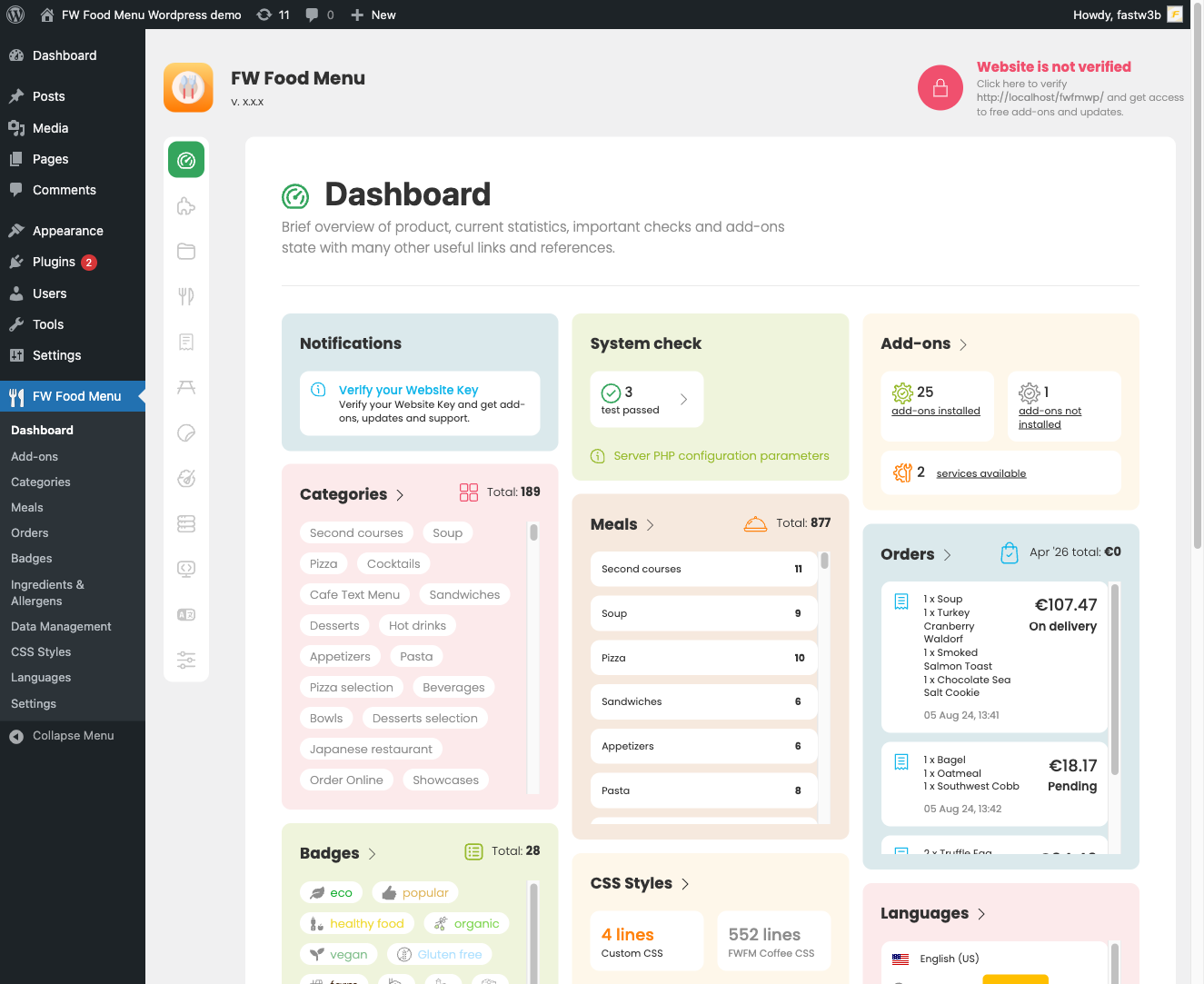
Summary Cards
The Dashboard displays a row of summary cards, each showing a live count pulled directly from your site's data:
- Total Items — the number of menu items currently stored, regardless of published status.
- Categories — the total number of menu categories.
- Orders — the total number of customer orders recorded. This card appears when the Cart plugin is installed and active.
- Badges — the number of visual badges defined. This card appears when the Meal Badges plugin is installed and active.
Clicking any summary card takes you directly to the corresponding section, so you can move quickly from an at-a-glance count to managing the underlying records.
Plugin-Injected Stat Cards
Installed FWFM plugins can add their own stat cards to the Dashboard row. These additional cards follow the same format as the built-in summary cards and appear automatically when the relevant plugin is enabled. The exact cards shown on your Dashboard will reflect which plugins are active on your site — a site without the Cart plugin, for example, will not display an Orders card.
To control which plugins are active, go to FW Food Menu → Addons. A plugin must be enabled both in the Joomla Plugin Manager and on the Addons page to inject content into the Dashboard.
What the Dashboard Does Not Show
The Dashboard is intentionally focused on counts and status. Detailed filtering, searching, and editing of records is handled in the dedicated sections — Menu Items, Categories, Orders, and so on — accessible from the FW Food Menu admin menu.

