 FW Food Menu – Documentation
Understanding the Dashboard
Understanding the Dashboard
The Dashboard is the first screen you see after opening FW Food Menu in the Joomla administrator. It gives you a quick overview of your menu content and order activity without navigating to individual sections.
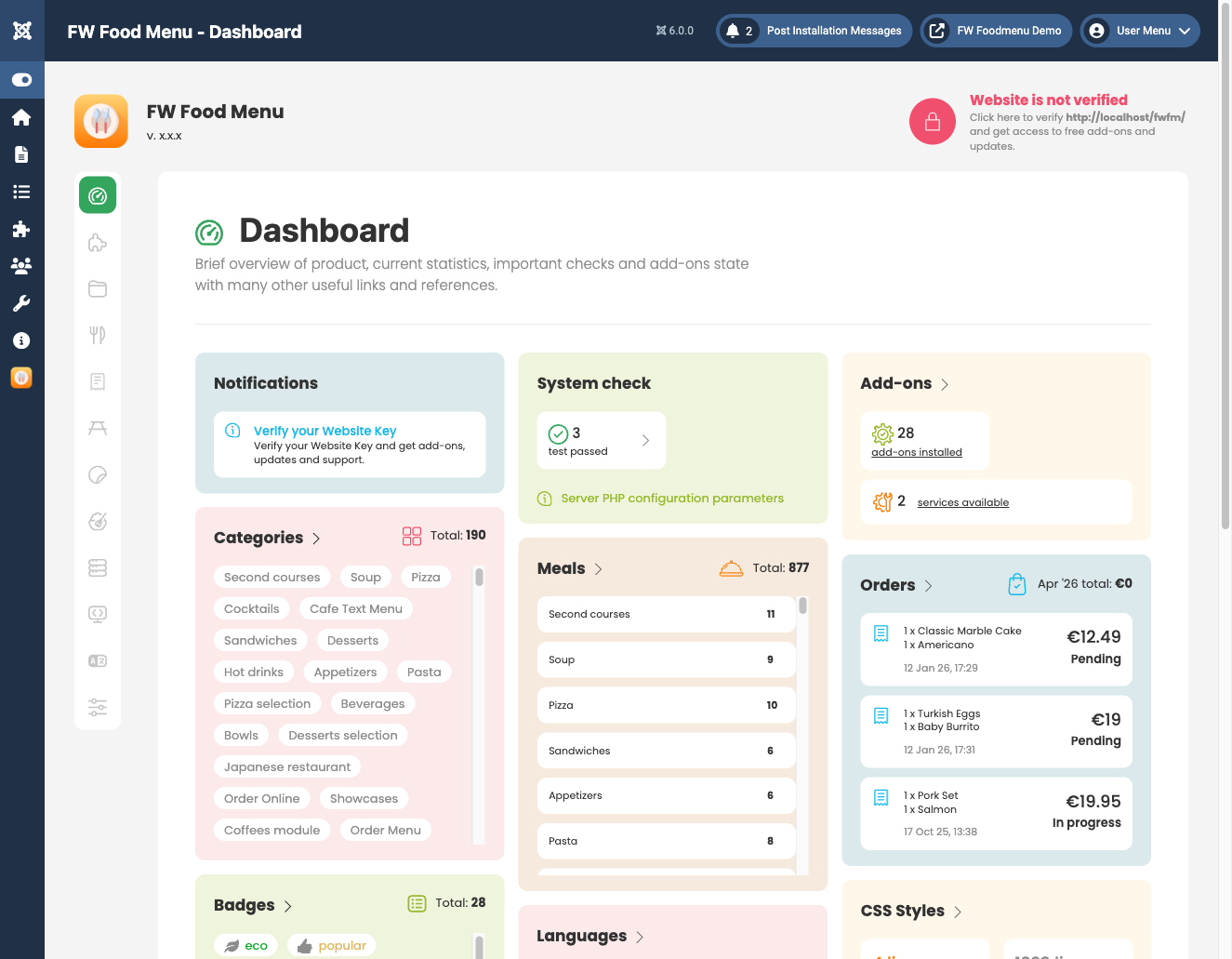
Summary Cards
The Dashboard displays a row of summary cards, each showing a total count for a core area of the component:
- Items — the total number of menu items (meals and drinks) in your system, regardless of published status.
- Categories — the total number of menu categories, including both parent and child categories.
- Orders — the total number of customer orders recorded. This card appears when the Cart plugin is installed and enabled.
- Badges — the total number of visual badges (such as "New", "Hot", or "Vegan") created in the system. This card appears when the Meal Badges plugin is installed and enabled.
Each card acts as a shortcut — clicking it takes you directly to the corresponding section in the admin panel.
Plugin-Injected Stat Cards
Installed and enabled FWFM plugins can add their own stat cards to the Dashboard row. These additional cards appear automatically alongside the core summary cards when the relevant plugin is active. The exact cards shown depend on which plugins you have installed. If you enable or disable a plugin, the Dashboard updates accordingly — no manual configuration is required.
Navigating from the Dashboard
All main sections of FW Food Menu are accessible from the FW Food Menu menu in the Joomla administrator sidebar. The Dashboard is the default landing page. From there you can move to any section, including:
- Categories and Menu Items for managing your menu content.
- Orders for reviewing and updating customer orders.
- Addons for enabling, disabling, and configuring installed plugins.
- Settings for global component configuration.
Sections such as Tables, Orders, Badges, and Allergens only appear in the menu when their corresponding plugin is installed. If a section is missing from your admin menu, check that the required plugin is installed and enabled in both the Joomla Plugin Manager and the FW Food Menu Addons page.

