 FW Gallery – Documentation
Understanding the Dashboard
Understanding the Dashboard
When you open FW Gallery from the Joomla administrator menu, the first screen you see is the Dashboard. It gives you an at-a-glance overview of your gallery site and quick access to the main areas of the component.
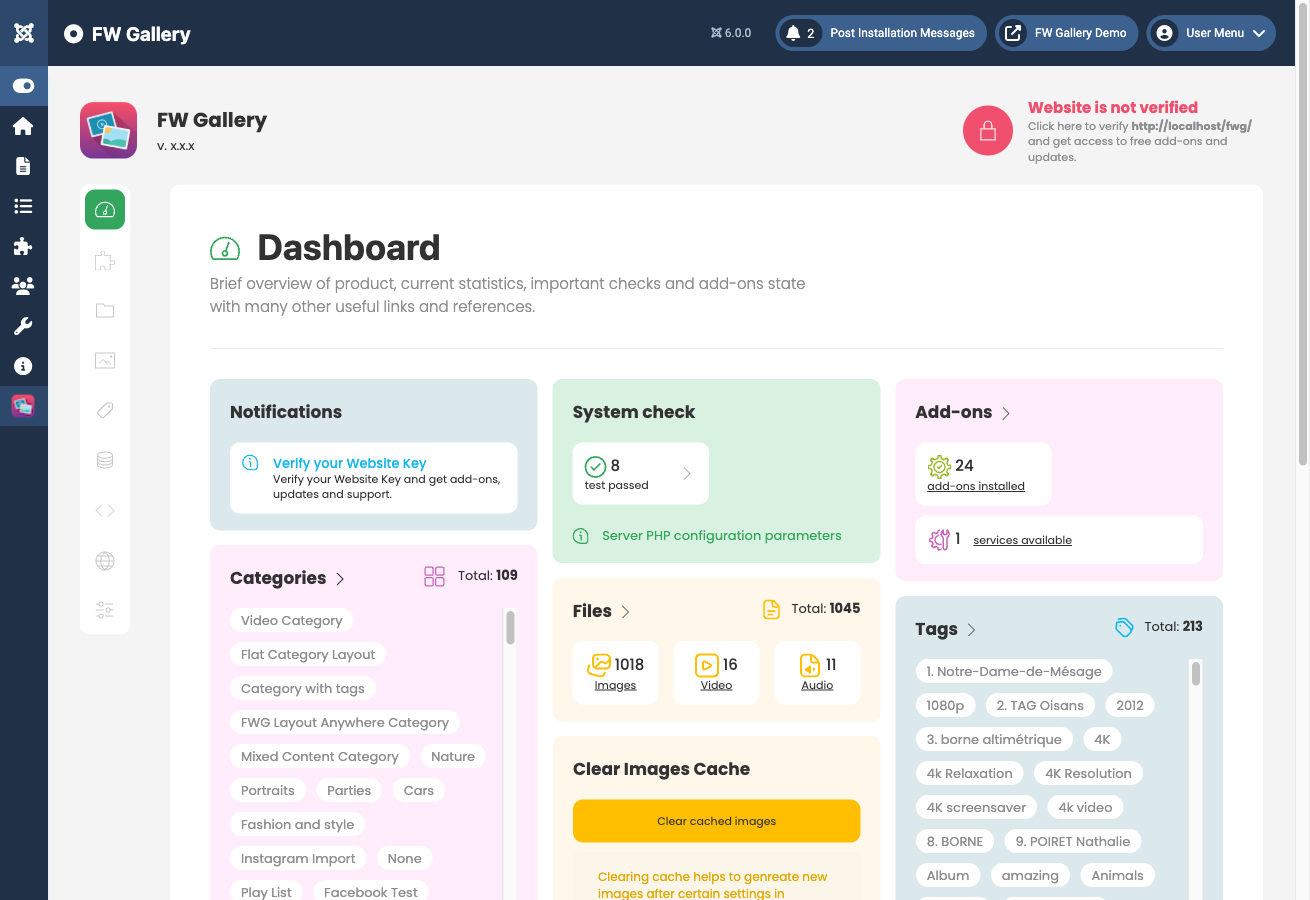
Quick Stats
The Dashboard displays two key counters so you can see the current state of your content without navigating elsewhere:
- File count — the total number of media files (images, audio, video) stored in the component.
- Gallery count — the total number of gallery categories, including nested subcategories.
These numbers update automatically as you add or remove content.
Website Verification Status
The Dashboard includes a website verification panel that shows whether your site is connected to fastw3b.com. Connecting your site enables the component to check for and receive extension updates directly through the Joomla update system. If the status shows as unverified, follow the on-screen prompt to complete the connection.
Shortcuts to Main Sections
The Dashboard provides direct shortcuts to the primary areas of the component, so you can jump straight to your most common tasks without using the top menu each time. The shortcut tiles correspond to the main sections available under the FW Gallery administrator menu:
- Files — add, edit, and manage your media files.
- Categories (Galleries) — create and organise your gallery structure.
- Tags — manage tags assigned to files.
- Addons — view and control installed addon plugins.
- Settings — configure global component options.
Each shortcut takes you directly to the corresponding section, making the Dashboard a practical starting point for day-to-day site management.

