FWG Latest Files
Subscription
Starter
Professional
Agency
Layout
Joomla
WordPress
Display newest, most popular, or random files in a sidebar or footer module. Three layout modes (vertical, horizontal, slider) with full metadata control.


All Features
What You Get
Three Layout Modes
Three Layout Modes
Display recent files as a vertical stack, horizontal row, or trendy slider with lightgallery lightbox integration. Drop the module in any Joomla position.
Flexible Sorting
Flexible Sorting
Sort by newest, popular (by hits), alphabetical, or random order. Each module instance can use a different sort, so you can show newest in the sidebar and random in the footer.
Per-Field Metadata Toggles
Per-Field Metadata Toggles
Independently toggle name, upload date, owner, description, and download link for each module instance. Build a minimal image wall or a detailed recent-work panel.
Categories or Files
Categories or Files
Display latest files OR latest categories, depending on whether you want to showcase individual work or recent gallery additions.
Questions
Frequently Asked Questions
-
Is this add-on included in my subscription?
Yes. FWG Latest Files is included in the Starter, Professional, and Agency tiers of the FW Gallery subscription. You get the add-on plus updates and support as long as your subscription stays active.
-
Is Latest Files included in my FW Gallery subscription?
Yes. This module ships with every paid FW Gallery package.
-
Can I show files from all galleries or just one?
Both. Pick a specific gallery in the module settings or leave it empty to show files from across the entire site.
-
What sorting options are available?
Newest first, most popular (by hit count), alphabetical by name, or random. Random reorders on every page load for a fresh feel.
-
Does it work with the lightbox?
Yes. Clicking a file opens the default FWG lightbox (lightgallery) for an immersive zoom and navigation experience. You can also configure it to link to the file detail page instead.
Ecosystem
Works Great With
 Starter+
Tag files across galleries and give visitors a second way to browse your portfolio. Click a tag to see every image, video, and audio file that shares it regardless of which gallery they live in.
 Free
Free
Upload MP4 videos or embed YouTube and Vimeo clips in your gallery. Responsive player, automatic thumbnails, and hover-to-preview for videographers and motion designers.
 Starter+
Pin your best work to the top of every gallery with one click. Featured files stay visible regardless of upload date so your portfolio always leads with impact.
 Free
Free
Add MP3, WAV, OGG, and AAC audio files to your gallery with a built-in player. For musicians, podcasters, and sound designers hosting portfolios on their own site.
 Professional+
Import photos in bulk from a local folder, Facebook albums, Google Picasa, or Instagram. No manual uploading, no dragging files one by one.
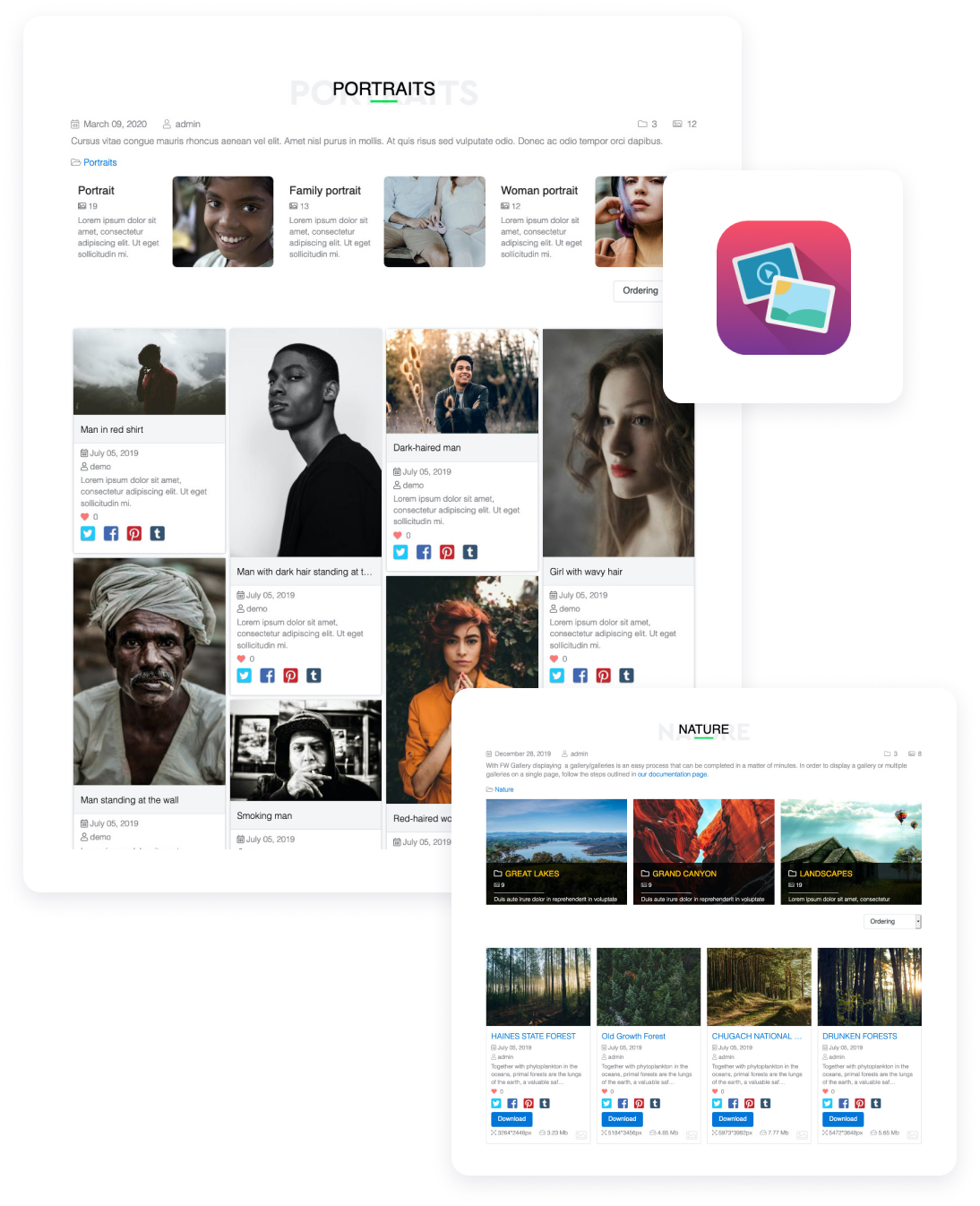
Showcase photos, videos, and audio work in one creative portfolio you design, grow, and fully own.
FW Gallery
22 Add-ons
9 Services
Self-hosted creative portfolio for photographers, videographers, graphic designers, musicians, and mixed-media artists. Complete addon library covering image galleries, video files, audio playback, client proofing, front-end upload, SEO, and design templates. Your domain, your files, unlimited galleries.
Responsive Photo Gallery
Multi-level Galleries Hierarchy
Images Batch Upload
Watermark protection
Images rotate
Social share buttons

