 FW Virtuemart Rental – Documentation
Baby carriage rentals
Overview and structure
This guide is a step by step reference for creating baby rentals website based on the FW VirtueMart Rental plugin and FW Package Rental plugin. Have a look at the Baby cariage rentals showcase we have created.
It allows for:
- Quick package rent
- Stock control monitoring
- Setting flexible pricing terms
We will proceed as follows:
How to configure baby rentals website
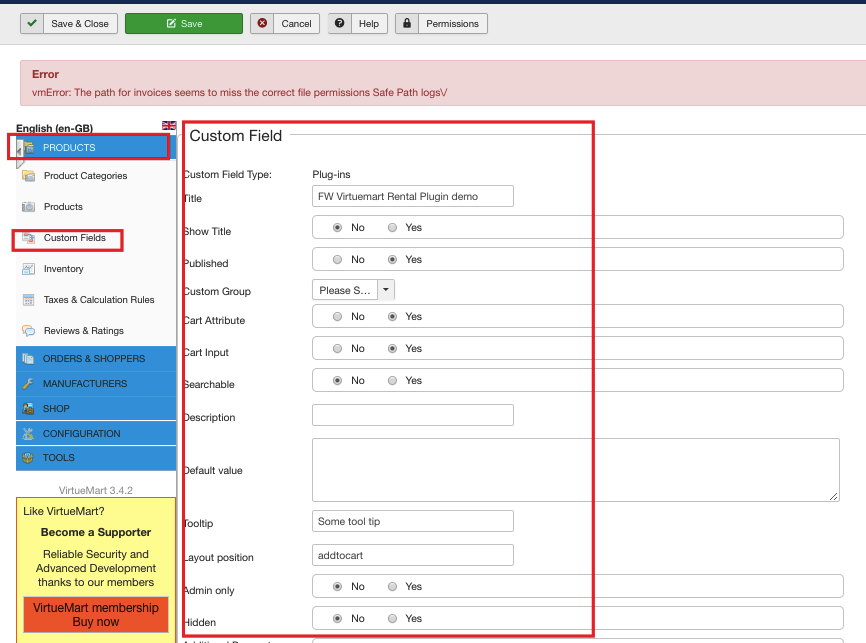
- Create a custom field with Plugins type. Configure the custom field setting as is shown on the screenshot below:
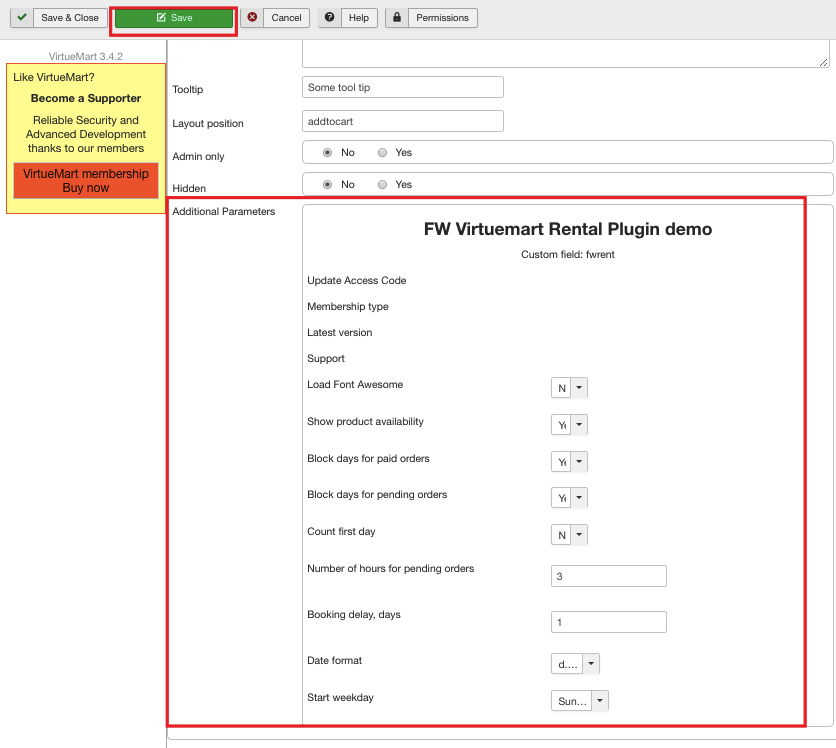
Go to the additional parameters dropdown and choose FW VM Rental from the list. As a result, a part of the plugin parameters will be displayed. So set the plugin parameters on the custom field level as is shown on the screenshot below. Don’t forget to save your configuration.
To learn more about custom field configuration and settings, review the following documentation pages:
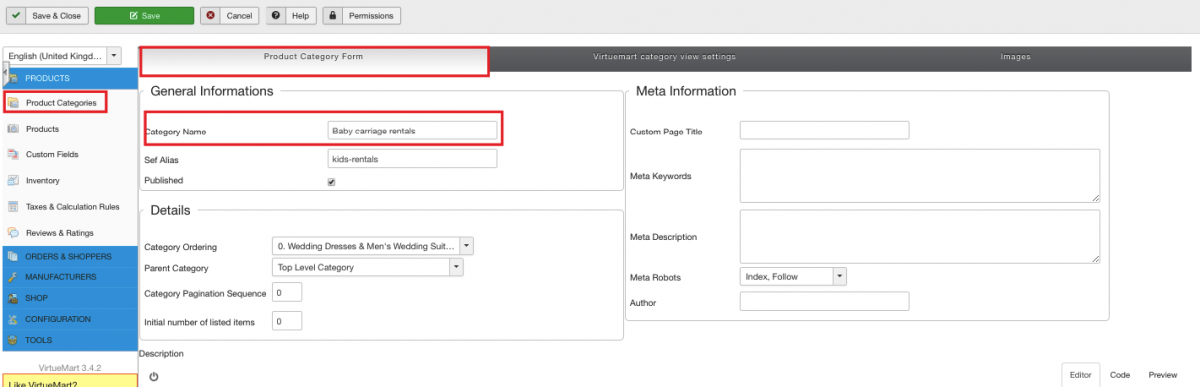
- Create Baby Carriage Rentals category. Make sure to configure it properly. Give it a title, make sure it is published, upload category image, etc.
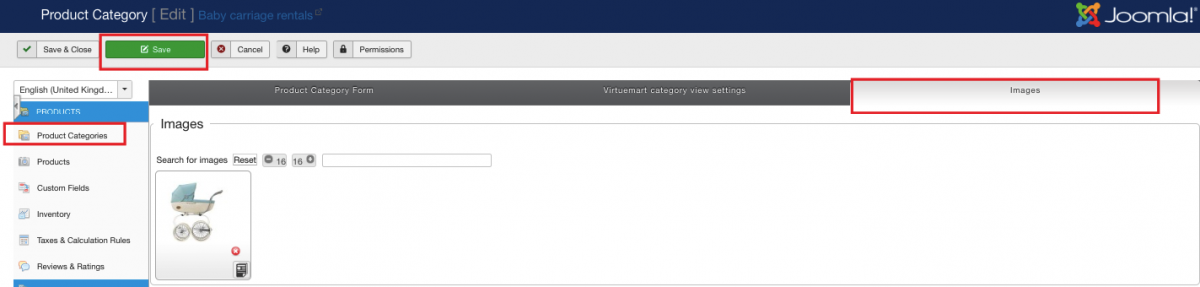
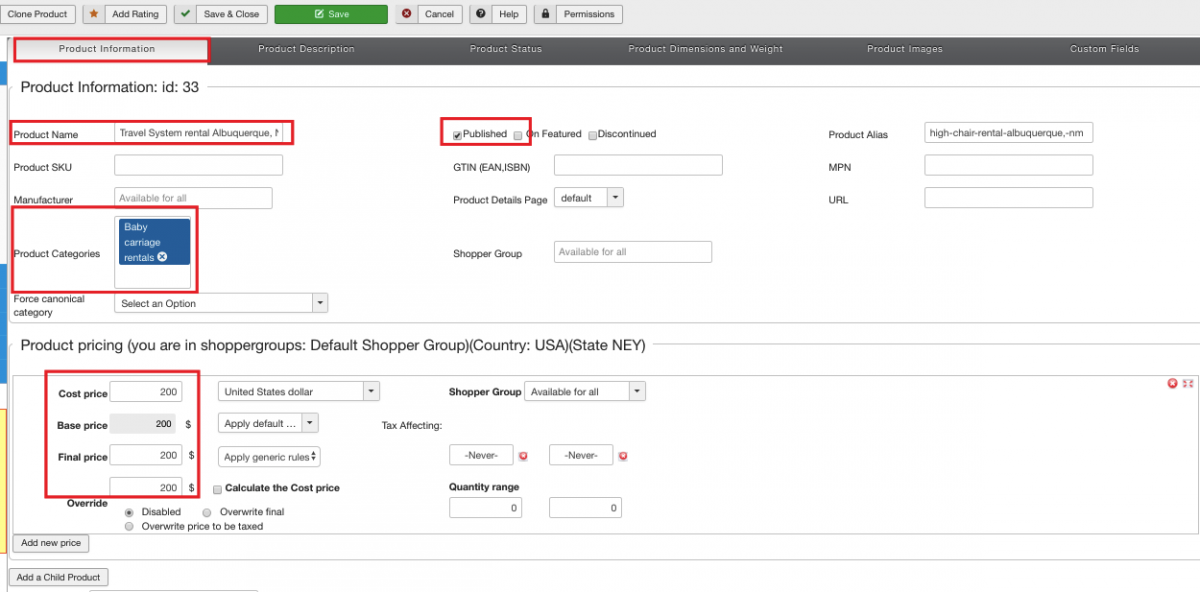
- Add products to the category. Configure product settings as is shown on the screenshots below. Add product title, check it as “published”, assign “Baby Carriage Rentals” category to the product, set a price, etc.
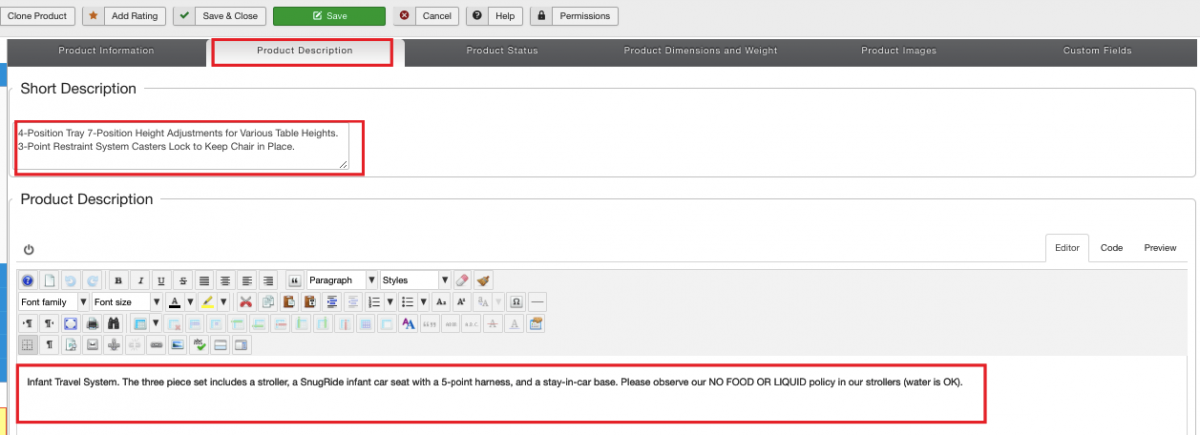
Add a description to the product.
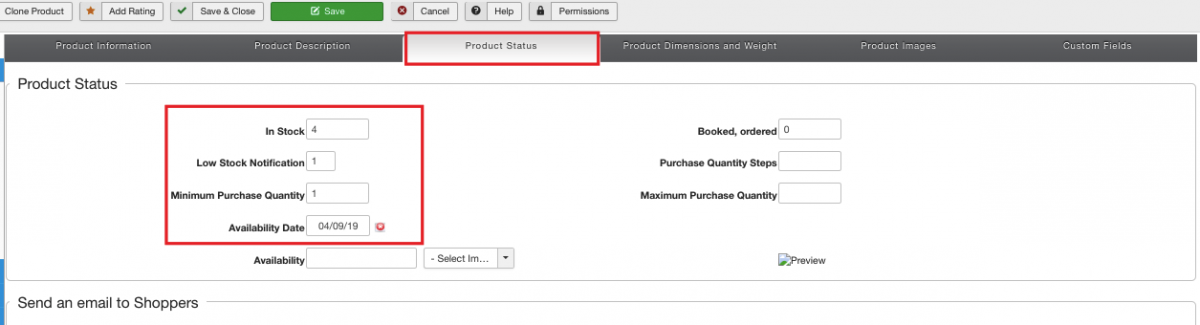
Set product status parameters as is shown on the screenshot below. Once set, you will be able to receive low stock notifications, display stock control indicator, and stock quantity for a product being added.
Upload a product image.
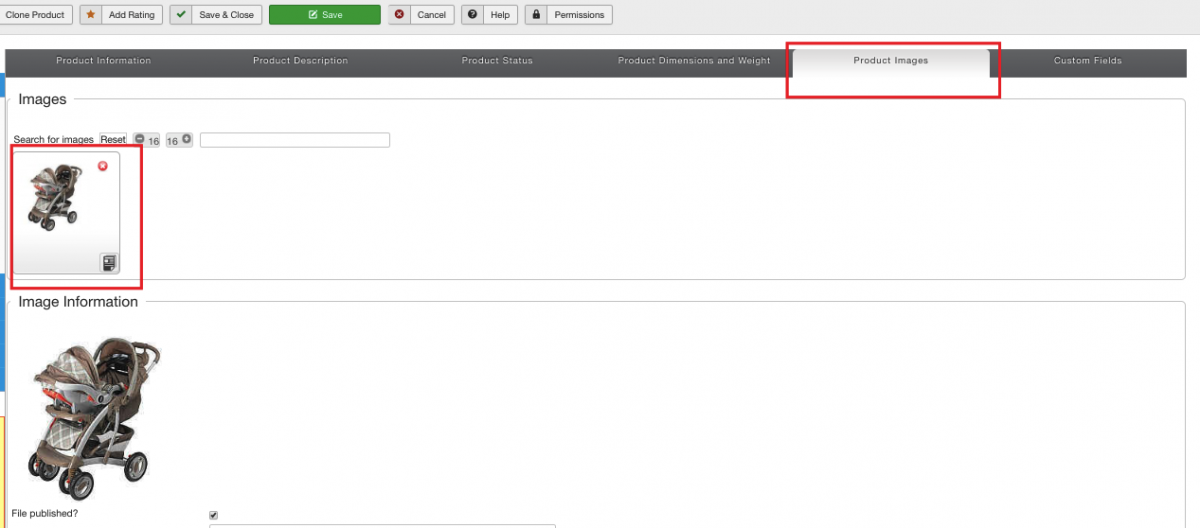
Set FW VM Rental parameters on the product level as is shown on the screenshot below. Here, on the product level, you can set rental terms using a dedicated pricing grid, set insurance/deposit amounts and terms, indicate if the product is for sale/rent only, etc.
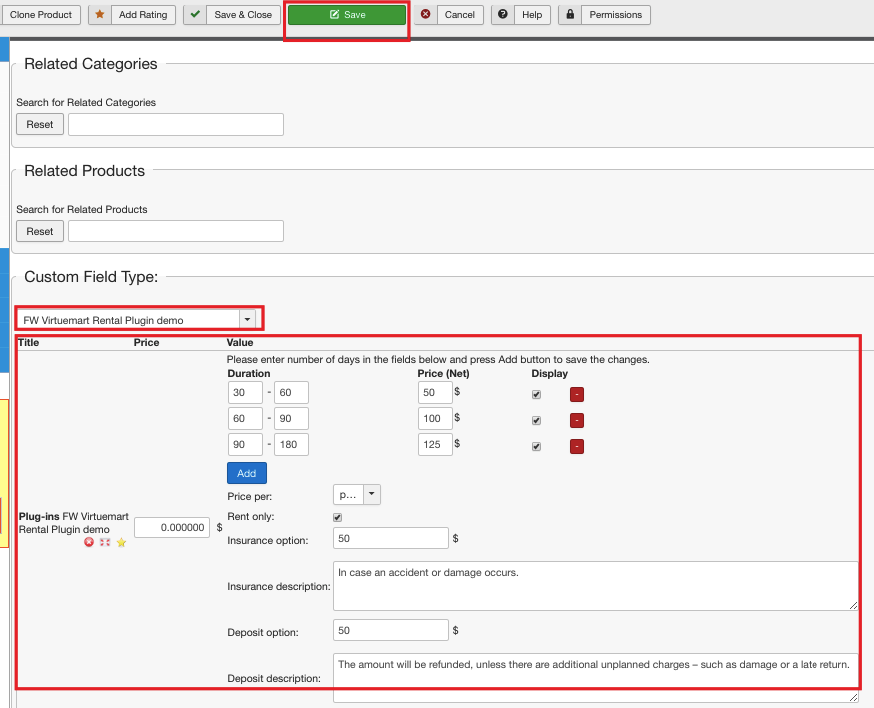
To learn more about product configuration and settings, review the following documentation pages:
Once all products are added to the category, your screen should look similar to the screenshot below:
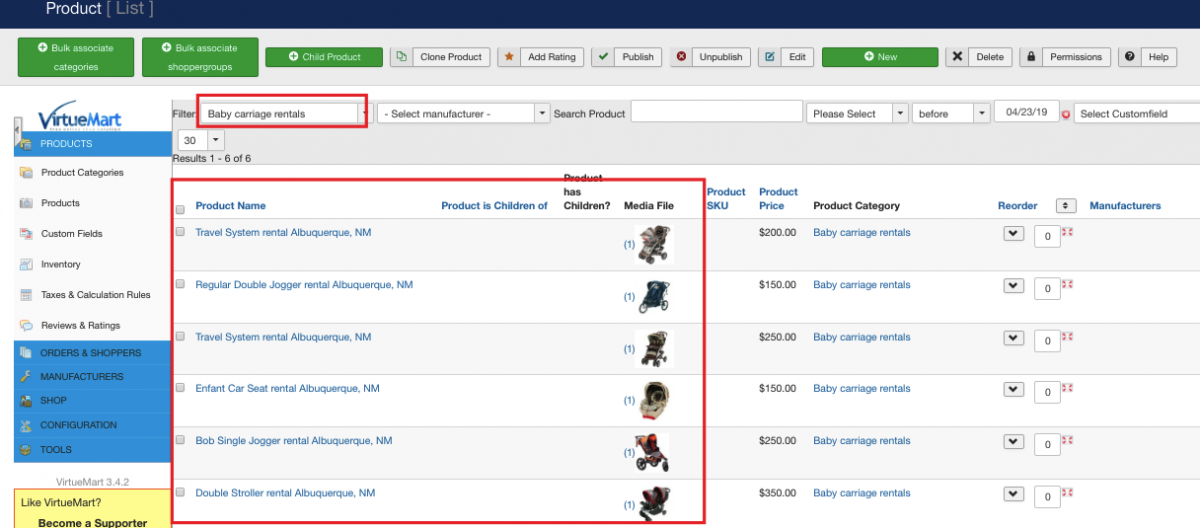
- Display the category with products. To learn how to display a category, review Display the category with products documentation page. As a result, your screen should look similar to the screenshot below:
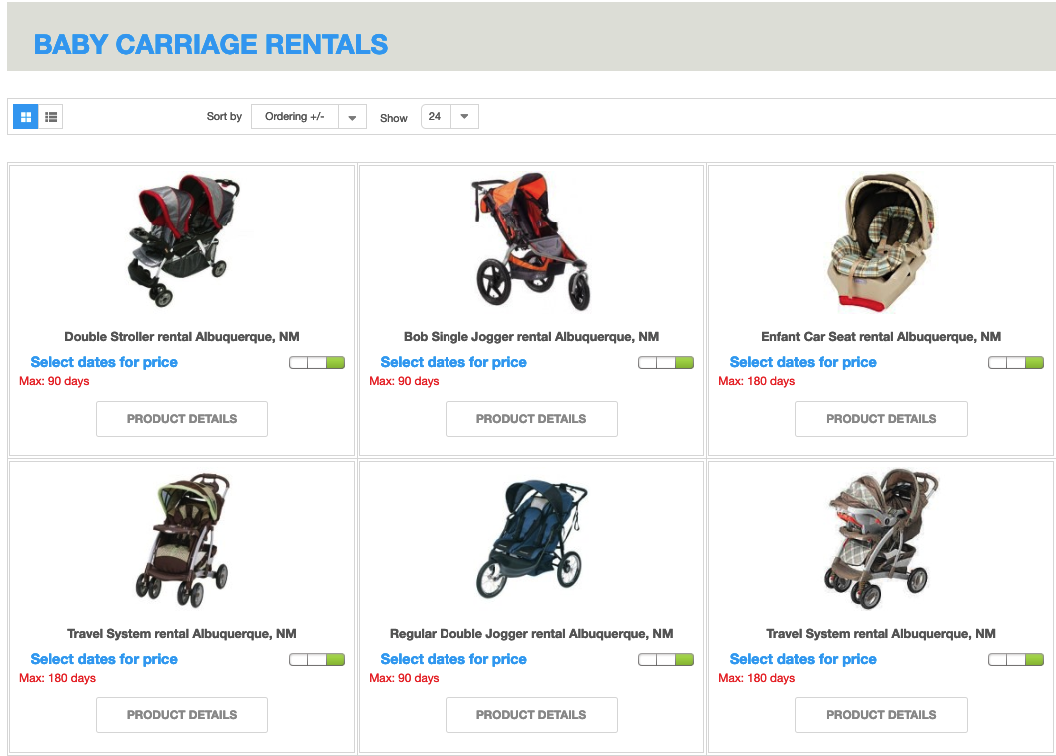
- Configure and display Rental Dates Module. As a result, all baby carriages available for the dates specified within the module will be displayed on the category page. Along with that, the calculated total rental price and stock number will be displayed for each particular product. See the screenshot below:
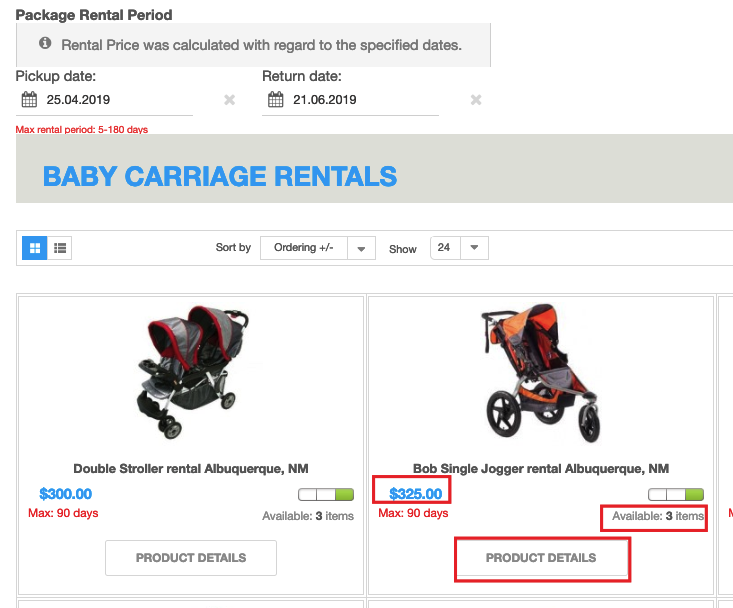
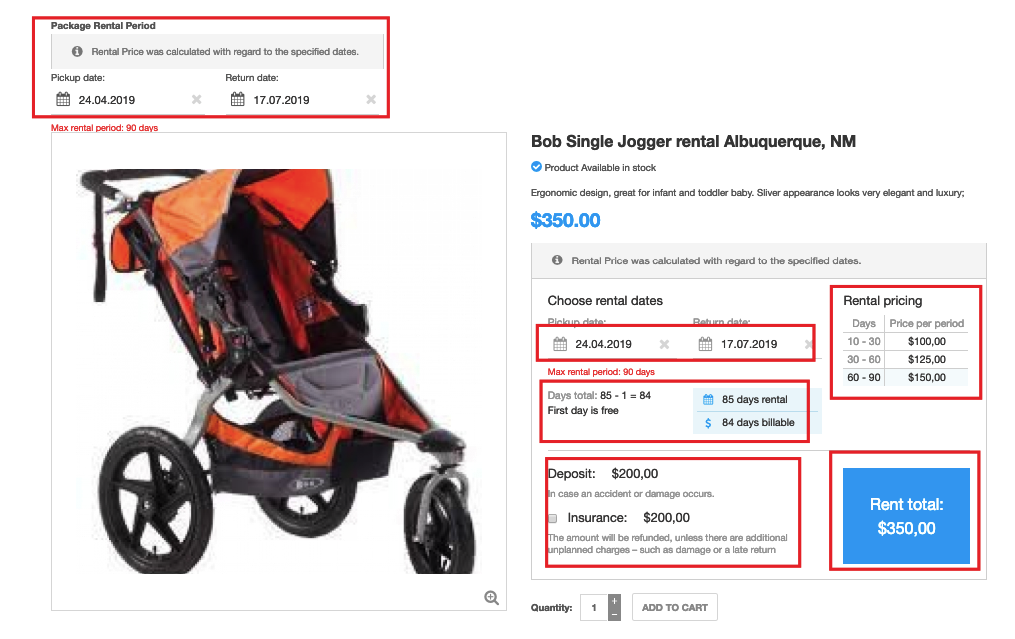
Go to the individual product page clicking the “Product details” button. Here, on the individual product page, you can see that the booking calendars are already filled and the total rental price is already calculated given the dates specified in the calendars. You can also see how the price was calculated and a pricing grid with predefined rental terms.